

What's New For SignMaster V5
Vinyl Cutters

QR Codes New
Where allowed by the cutter driver, support for QR and dual QR Codes allows loading the sheets either upright or conventionally.


16x Cut Passes New
Cutting passes up to 16 times (useful for laser cutters to cut wood or thicker materials).

Fold Lines New
Capability to make double fold lines (for sharper fold lines).

Perf-Cut New
Automatic option for the vinyl spooler to produce perforated (dashed) cutting lines.

QR Codes Support New
Possibility of QR codes and barcodes scanning in the vinyl spooler (depending on driver support).

CCD Support New
The capability of detecting CCD markings for artwork created using a different programme when the cutter driver is supported.
Auto Cut

Rotate, Size and Position new
Set the media (vinyl) size along with the position of the artwork (Cutfile).


Tile Box New
Places a cutline to aid in weeding where artwork has been overlapping.

Absolute Position new
Forces the Cutfile to cut where it was positioned in the artwork.

Step & Repeat (Copies) New
Decide how many copies of each Cutfile you want.

Tile Bleed (Overlap) New
Suite of tools to manage overwide cut files and create an Overlap to deal with shrinking on site.

Crop (Trim) Tools
Trim Options (Trim from: Left, Right, Top and Bottom) to Position your Artwork precisely where you want it to cut out on the vinyl.

Merge Colors New
Takes selected colors and merges these into one color for cutting.

Nesting new
Reduces media waste by automatically grouping various print jobs into a single print queue that is ready to be quickly ripped or printed.

Dimensions new
On-screen dimensions in any units that automatically update with each Print Job.

Preview (Preflight) new
Dynamic preview of Cutfiles in relation to the Plotter/Vinyl Cutter (WYSIWYG).

Edit Tools New
Cutfile editing options, such as Automatic and Manual Align Marks, Chopping Guide with Overlap, Lift Marks, Speed-Weed, Group/Ungroup, Break Apart/Combine, Rotation, and Duplicate, are available to improve layout and cutting.
Vinyl Cutting

Contour Cutting Presets New
Added cutting tools and shapes, ability to make fold lines and perforation cuts.
Import/Export/Publish

Drag & Drop New
The ability to simultaneously drag & drop multiple image files into the design.

Import PDF Extended New
1. A fresh import Assigning cutting tools fast in PDF (such as Cut Contour, Fold Contours, etc.) and bringing in artwork in relation to the page it was developed on.
Curve & Shaping Tools

Bezier Curves New
Because the curve is entirely contained within the convex hull of its control points, bezier curves are simple to create and edit in real time. This implies that practically any shape may be easily created by manipulating the curve intuitively!
Drawing

Create Line Tool New
With the help of an auto-join tool, create exactly horizontal and vertical lines, inclusive of any angle. Ideal for producing geometric patterns and fold lines.
Plugins & Modules

Image Nesting New
When generating a cutting contour, there is now an option to automatically build a clipping path around photos (allowing nesting of images with opaque backgrounds, obscuring the sections outside the cut line) so they can overlap and conserve material.

Stencil / Bridge Module New
Enables you to change artwork so that the holes stay in place.

Rhinestone Module New
The Rhinestone module enables you to design an outside path and/or fill a shape or text with a variety of fill styles (patterns) that can then be cut out and used as a stencil.

QR Code Maker New
Create your own QR codes that may be utilised for a variety of things, including a website connection.

Perimeter Measuring Module New
Calculates the perimeter of a chosen vector object or piece of text. The length of the material (aluminium, plastic, metal, etc.) needed to create extruded letters or forms can be calculated with this tool.
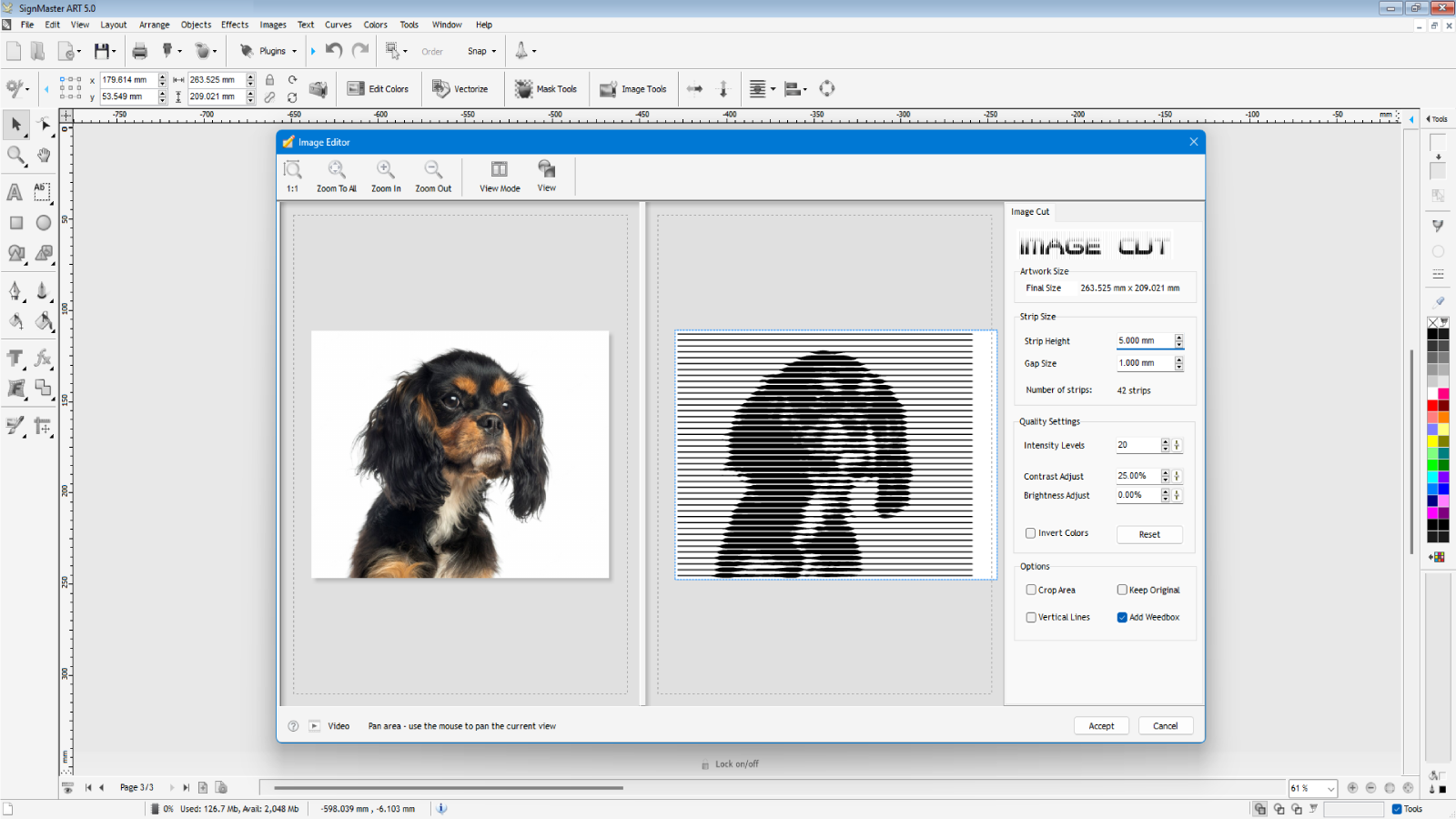
ImageCut New
Transform colour or monochrome photos and graphics into cuttable artwork that, from a distance, resembles a photo!

Create Cut Contour improved
The Create Cut-Contour module now easily traces very huge and complicated images by creating an outline around effects, photos, objects, shapes, and text, among other things!